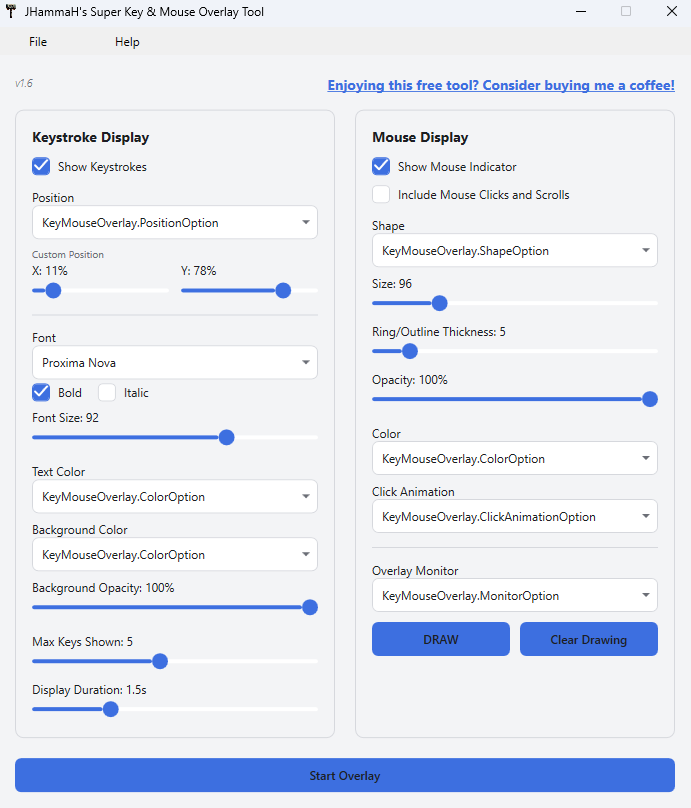
JHammaH’s Super Key & Mouse Overlay Tool – Keystroke & Mouse Click Visualizer for Screen Recordings
Show your keystrokes and mouse clicks live on screen while you record or stream. A lightweight Windows overlay built for tutorial creators, streamers, and educators, with fully customizable fonts, colors, click animations, and a built-in drawing tool for on-screen annotations.
Description
Make every keystroke and click visible to your audience.
Whether you’re recording software tutorials, streaming, or teaching an online course, viewers often can’t tell what you just pressed or clicked. This on-screen keyboard and mouse overlay solves that instantly, showing your keystrokes (including full shortcuts like Ctrl+C) and mouse activity live on screen, fully customizable to match your video style.
Key Features
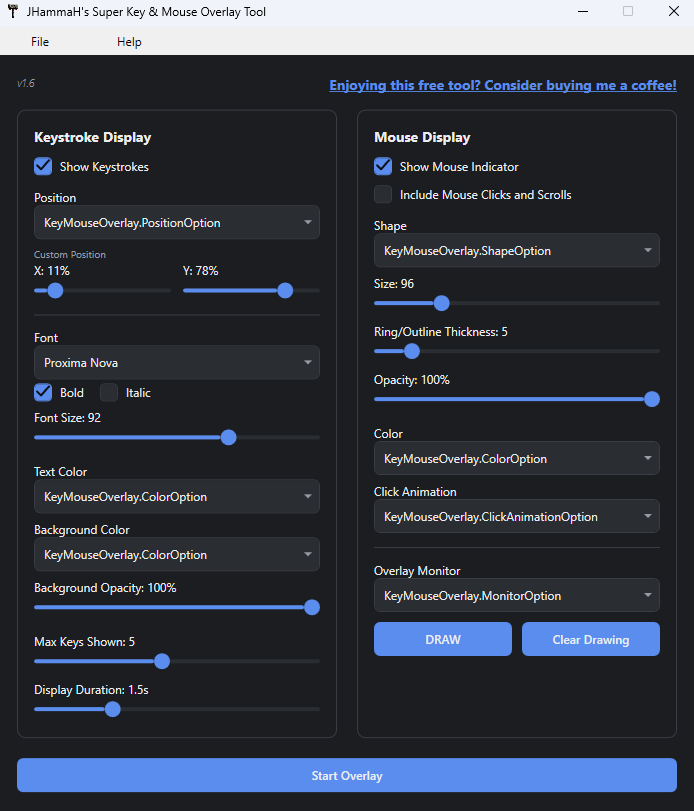
- Live keystroke display, including complete keyboard shortcuts, not just single keys
- Mouse click and scroll direction shown automatically (left, right, middle, scroll up/down)
- Fully customizable font, size, bold/italic, text and background color (with a built-in color picker), position, and display duration
- Multiple mouse cursor indicators (ring, crosshair, solid shapes, outlines) with adjustable size, thickness, and opacity
- 8 click animations: Ripple, Pulse, Burst, Confetti, Shockwave, Starburst, Bounce, Cross Pop
- Built-in drawing tool, annotate your screen live like a sports replay telestrator
- Multi-monitor support, including a Follow Cursor mode
- Light and dark themes
- Save and load your favorite setting presets
- 11 Presets readily available matching popular NLE’s and software
- Runs quietly in the system tray while you work
Who It’s For
YouTube tutorial creators, Twitch/streaming creators, online course instructors, and anyone who screen-records and wants their audience to see exactly what they’re doing.
System Requirements: Windows 10/11 (64-bit)
Installation Guide
Download the installer.
Run the Setup.exe
Done!
Version Update History:
v1.0 – Launched the program with all base features
v1.1 – Added more drawing tools
v1.2 – Fixed arrow shape
v1.3 – Added more customization
v1.4 – Improved Drawing for multiple screens
v1.5 – Fixed multi-resolution multi-monitor bug
v1.6 – Enhanced GUI